Introduction to Looker Studio and Pinterest
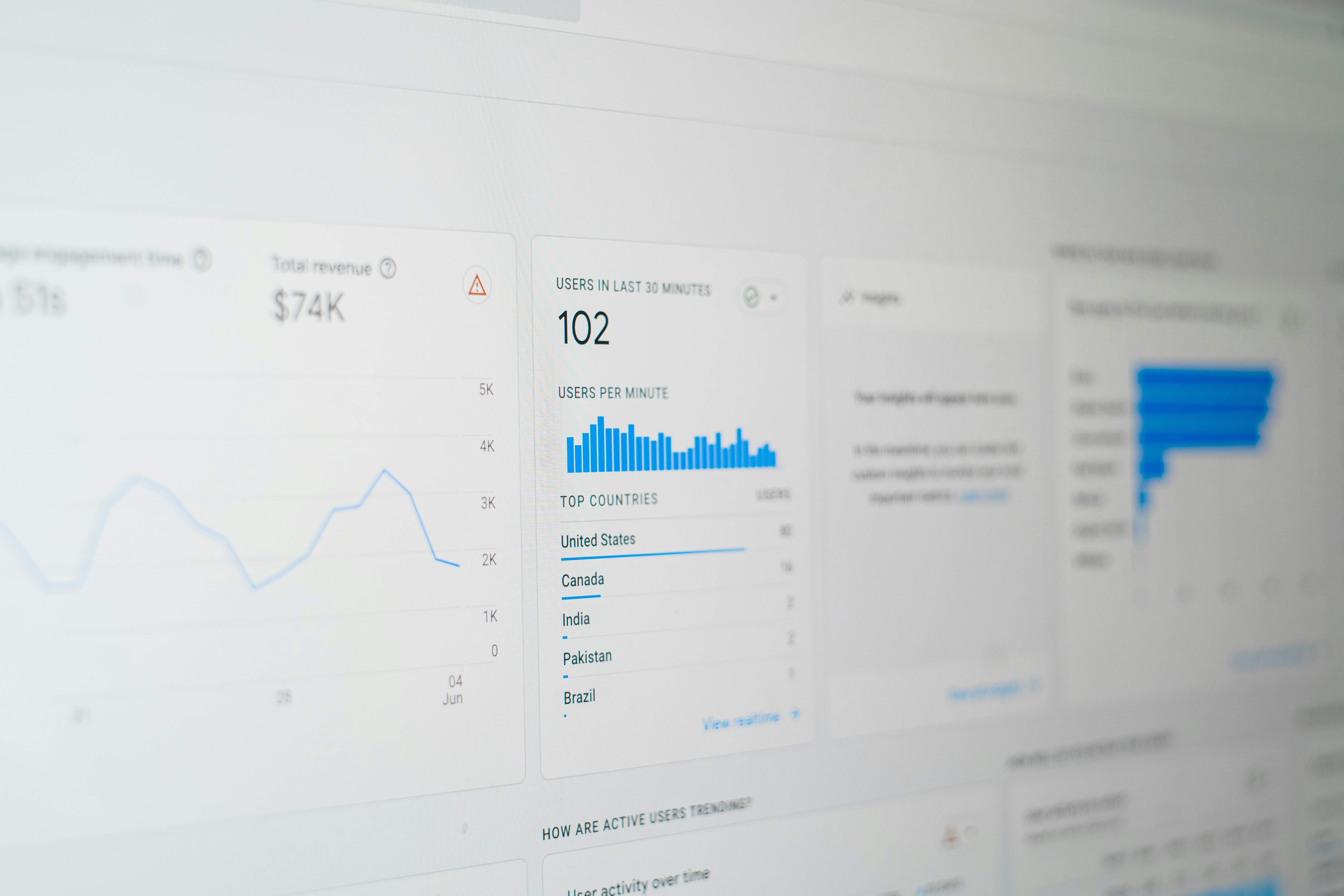
Looker Studio emerges as a robust data visualization tool designed to empower users to extract actionable insights from complex datasets. This platform facilitates the transformation of raw data into comprehensible dashboards, enabling businesses and marketers to make data-driven decisions with greater confidence. Its versatility allows for integration with various data sources, enhancing its capability to present information visually in informative and engaging ways.
Pinterest, on the other hand, is a unique social media platform that functions primarily as a source of creative inspiration and discovery. Users engage with a myriad of ideas ranging from fashion trends to home improvement projects, making it an essential tool for marketers seeking to connect with their audience at a deeper level. The platform’s focus on visual content allows brands to showcase their products and services in a captivating manner. As users browse and pin their interests, they generate a wealth of public data that reflects current trends and consumer preferences.
Integrating Pinterest’s public data with Looker Studio serves as a strategic approach to analyze audience engagement and interpret emerging trends. By leveraging this combination, businesses can tap into valuable insights that inform their marketing strategies and improve overall performance. The ability to visualize Pinterest data within Looker Studio enables marketers to identify patterns, assess user behavior, and evaluate the effectiveness of their campaigns more efficiently. Through this synergy, organizations can not only enhance their content but also connect more profoundly with their target audience, leading to optimized marketing efforts.
Why Use Looker Studio for Pinterest Analytics?
Looker Studio emerges as a powerful ally for marketers and businesses seeking to harness the potential of Pinterest analytics. One of its primary advantages lies in its robust customization options. Users can tailor their reports to highlight specific metrics, allowing for more relevant insights tailored to distinct marketing goals. This flexibility ensures that organizations can focus on the data that matters most to their strategies, be it engagement rates, follower growth, or audience demographics.
Another critical feature of Looker Studio is its capability for real-time data integration. In a fast-paced digital landscape, the ability to access up-to-date information is essential for making informed decisions. Looker Studio connects seamlessly with Pinterest’s API, enabling users to visualize changes in metrics as they happen. This feature not only enhances data accuracy but also empowers teams to swiftly adapt their campaigns based on the latest performance trends.
Furthermore, the ease of sharing reports in Looker Studio is particularly beneficial for collaborative teams. Its user-friendly interface allows team members to generate and distribute insightful reports quickly. Stakeholders can access these reports anytime, fostering transparency and facilitating data-driven discussions. With the ability to export reports in various formats, including PDFs and interactive dashboards, Looker Studio simplifies communication across various departments within an organization.
Overall, Looker Studio’s combination of customization, real-time data integration, and effortless sharing positions it as an invaluable tool for Pinterest analytics. By leveraging these features, businesses can derive significant insights from their Pinterest data, enhancing their marketing strategies and optimizing their presence on the platform. This adaptability not only streamlines workflow but also empowers marketers to create more effective campaigns grounded in solid data.
Setting Up Looker Studio with Pinterest Data
To harness the full potential of Pinterest insights through Looker Studio, a systematic setup process is essential. First, you must obtain the necessary API keys from Pinterest. Navigate to your Pinterest Business Account and access the ‘Settings’ option. From there, select ‘API Access’ to generate your API keys. This key will facilitate the connection between Pinterest’s data and Looker Studio.
Once you have your API keys, the next step is to configure your data sources within Looker Studio. Start by logging into your Looker Studio account, followed by selecting the ‘Create’ button and then choosing ‘Data Source.’ In the data connectors list, look for the Pinterest connector, which allows you to integrate your Pinterest data efficiently. Upon choosing Pinterest, input your API key when prompted to authorize the connection. This ensures Looker Studio can pull the relevant insights from your Pinterest account.
Ensuring data compatibility is vital to prevent any issues during the integration process. Verify that your Pinterest account is properly set up for API access and that you have enabled the correct permissions for Looker Studio. Additionally, it is beneficial to familiarize yourself with Pinterest’s data structure to understand the available metrics that can be analyzed in Looker Studio.
While setting up, some users may encounter common connection issues. To troubleshoot these problems, first check if your API key is accurately entered and if the permissions are correctly configured. Furthermore, ensure there are no restrictions on your Pinterest account that might hinder the connection, such as unverified accounts or incorrect settings. Following these steps will enable a seamless connection, allowing you to effectively harness Pinterest insights through Looker Studio.
Key Pinterest Metrics to Analyze
When utilizing Looker Studio to analyze Pinterest data, focusing on essential metrics is critical for achieving actionable insights. Among the most important metrics to examine are impressions, engagement rates, follower growth, and click-through rates. Each of these metrics serves as a key indicator of user behavior and aids in evaluating the success of marketing campaigns.
Impressions represent the total number of times a pin is displayed to users on Pinterest. By tracking this metric, businesses can gauge the visibility of their content within the platform. A high number of impressions may suggest that the content resonates well with the target audience and is being shared effectively. However, impressions alone do not indicate user interaction; therefore, further analysis is necessary.
Engagement rates are another vital metric that measures how users interact with pins, including saves, comments, and clicks. Higher engagement rates typically indicate that the content is captivating and relevant to the audience. Analyzing engagement rates can help businesses identify which types of pins are most effective in generating interest. Understanding these interactions can guide future content creation and social media strategies.
Follower growth illustrates the increase in the number of users that choose to follow a Pinterest account over time. This metric reflects user interest in an account’s content and indicates growing brand awareness. Tracking follower growth can help businesses assess the effectiveness of their marketing efforts and community engagement initiatives.
Finally, click-through rates (CTR) measure the proportion of users who click on a pin that leads them to an external website. A higher CTR suggests that the content successfully motivates users to explore further, which is essential for driving traffic and conversions. Together, these metrics provide a comprehensive view of performance, allowing businesses to refine their strategies and improve outcomes on Pinterest.
Creating Interactive Dashboards in Looker Studio
Creating interactive dashboards in Looker Studio allows users to analyze Pinterest data more effectively, providing insights that can drive strategic decision-making. The first step in this process involves selecting the right chart types suitable for the data at hand. Looker Studio offers a variety of visualization options, such as line charts for trends, bar graphs for comparisons, and pie charts to depict proportions. Understanding the type of data you are working with will significantly influence the choice of visualization, ensuring that your dashboard conveys the intended message clearly.
Incorporating filters is a powerful feature that enhances user-driven exploration. By adding filters, users can interactively refine the data they wish to view, enabling them to hone in on specific time periods, demographic segments, or particular Pinterest boards. This functionality not only enhances the user experience but also empowers individuals to draw customized insights without needing to alter the underlying dashboard structure. It is essential to position filters prominently on the dashboard, making them easily accessible to users, thereby encouraging exploration.
Another aspect to consider is the visual theme of the dashboard. Looker Studio provides several themes that can be utilized to elevate the aesthetic quality of your reports. A well-designed dashboard should not only be informative but also visually appealing. Consistency in color schemes, fonts, and overall layout contributes to greater readability and helps in maintaining the audience’s attention. Additionally, it is advisable to avoid overcrowding the dashboard with too many visuals; instead, curate the content thoughtfully to highlight the most critical insights.
By integrating these techniques—choosing appropriate chart types, incorporating filters, and utilizing themes—users can create interactive dashboards in Looker Studio that meet their analytical needs and enhance their understanding of Pinterest data.
Sharing and Collaborating on Looker Studio Reports
Looker Studio presents robust capabilities for sharing and collaborating on reports, which enhances the overall data analysis experience. Effective collaboration is essential for gleaning insights from Pinterest data, as it allows team members to contribute their perspectives and expertise to strategic discussions.
Inviting team members to collaborate on reports in Looker Studio is a straightforward process. Users can generate shareable links or invite specific individuals via email. These invitations can be tailored to control access rights, enabling users to set permissions such as viewer or editor roles. This flexibility ensures that sensitive data remains secure while also allowing designated team members to interact and manipulate the data as needed.
Moreover, Looker Studio’s collaborative features extend to real-time editing. Multiple users can work on the same report simultaneously, promoting immediate feedback and encouraging brainstorming sessions. This functionality is particularly beneficial when analyzing Pinterest data, as teams can quickly adjust their strategies based on collective input and discussions happening in the moment.
In addition to real-time collaboration, Looker Studio supports various export formats, making it easy to share insights with stakeholders who may not have direct access to the platform. Reports can be exported in formats such as PDF, CSV, or Google Sheets, allowing data presentation that suits the audience’s needs. This export functionality is crucial when disseminating findings from Pinterest insights to a wider team or presenting strategic recommendations to management.
In conclusion, the sharing and collaboration features within Looker Studio empower teams to harness public data effectively, particularly when analyzing Pinterest insights. By enabling teamwork, setting permissions, and providing flexible export options, Looker Studio lays the groundwork for informed decision-making rooted in collaborative data analysis.
Use Cases: Real-World Applications of Pinterest Data in Looker Studio
Utilizing Looker Studio with Pinterest data can significantly enhance business strategies and decision-making processes across various industries. One of the primary use cases is campaign performance analysis. Marketers can connect their Pinterest account to Looker Studio, allowing them to build comprehensive dashboards that visualize key performance indicators (KPIs) such as engagement rate, click-through rate, and conversions. This integration enables marketers to assess the effectiveness of their Pinterest campaigns in real-time, identify high-performing pins, and optimize future content based on actionable insights.
Another notable application involves seasonal trend tracking. Pinterest is known for its seasonal searches, where users search for ideas corresponding to specific holidays or events throughout the year. Businesses can leverage Looker Studio to analyze historical Pinterest data and forecast upcoming trends. This insight is invaluable for product planning, promotional strategies, and content alignment with consumer interests, ensuring that businesses remain relevant and responsive to market demands.
Audience segmentation is also a critical application of Pinterest data in Looker Studio. Brands can dissect their audience profiles based on various demographics, such as age, location, and interests, which can significantly enhance targeted marketing efforts. By using Looker Studio’s analytical tools, companies can visualize how different segments interact with their content on Pinterest. This understanding allows for the development of more personalized marketing messages, ultimately leading to increased engagement and conversion rates.
Incorporating Pinterest data into Looker Studio offers businesses the advantage of making data-driven decisions, refining strategies, and enhancing their overall marketing effectiveness. The ability to visually interpret complex data sets not only facilitates better understanding but also empowers marketers to innovate and adapt in a competitive landscape.
Troubleshooting Common Issues with Looker Studio and Pinterest Data
While utilizing Looker Studio to analyze Pinterest data, users may encounter various challenges that can disrupt their workflow. Identifying and resolving these issues is crucial for maintaining an efficient analysis process. One common problem is data discrepancies, which can arise from differences in data collection methods between Pinterest and Looker Studio. To address this, users should ensure that they are using consistent time frames and filtering criteria when comparing data sets. Cross-reference reports from both platforms to identify any significant variances and adjust settings accordingly to attain more accurate insights.
Another prevalent challenge involves connectivity issues. Problems can stem from authentication errors or network interruptions that may prevent Looker Studio from accessing Pinterest data. Users experiencing these issues are advised to review their API keys and ensure they are valid. Additionally, checking the network settings and confirming that there are no firewalls blocking the necessary data flow can help in re-establishing a stable connection. Frequent monitoring and updating of connection settings can significantly reduce these interruptions in the future.
Visualization problems can also hinder the effectiveness of data analysis. Users may find that their charts and graphs do not accurately represent the Pinterest data due to incorrect settings in Looker Studio. It is essential to verify that the correct data fields have been selected for visualization, as well as the appropriate chart types that best depict the data relationships. By meticulously reviewing visualization configurations, users can create more effective and informative reports.
Understanding these common issues and implementing the suggested troubleshooting steps can significantly enhance the overall experience with Looker Studio and Pinterest data integration. With a proactive approach, users can effectively navigate challenges and improve their data analysis capabilities.
Conclusion and Next Steps
In conclusion, leveraging Looker Studio for analyzing Pinterest insights presents marketers with a robust toolset that enables deeper understanding and strategic decision-making. By harnessing public data from Pinterest, users can uncover trends, identify high-performing content, and optimize their marketing strategies effectively. The significance of data-driven marketing cannot be overstated, as it empowers businesses to fine-tune their campaigns and target their audiences with precision.
Throughout this guide, we have explored various functionalities of Looker Studio, from data visualization to creating customized dashboards that cater specifically to individual business needs. It is crucial for users to embrace these features fully, transforming raw data into actionable insights. By doing so, marketers can respond proactively to shifting consumer preferences and market conditions, ensuring they remain competitive within the evolving digital landscape.
As you embark on your journey to explore Pinterest data through Looker Studio, we encourage you to continually seek knowledge and embrace adaptive learning approaches. The digital marketing field is dynamic; therefore, staying informed about new tools and methodologies is essential. To further enhance your knowledge, consider following industry-leading blogs, participating in webinars, or enrolling in online courses that focus on data analysis and digital marketing trends.
For additional resources and services related to data integration and marketing strategies, please visit our website, where you can find a wealth of information designed to help you achieve your objectives. We hope this guide has provided you with valuable insights and practical steps towards harnessing the power of public data through Looker Studio, specifically within the realm of Pinterest insights. Begin your data exploration today and unlock the potential that informed decision-making offers.